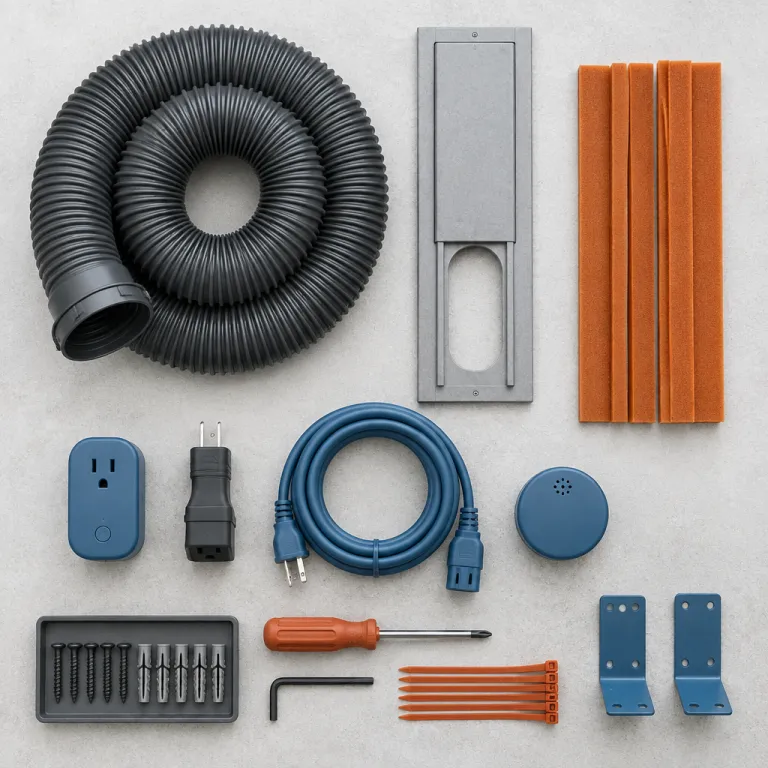
Why a smart plug schedule can rescue a hot home office
A smart plug portable air conditioner schedule is the cheapest way to tame a brutally hot home office. When you pair a basic air conditioner with a smart outlet and a simple timer function, you can pre cool the room before the late afternoon heat spike instead of sweating through the first hour of work. For many renters and remote workers, this small smart upgrade beats replacing a still functional product with a pricey new unit.
The key idea is simple yet powerful for everyday use. A smart plug cuts power at the wall outlet and restores it on a schedule, so your portable air conditioner starts working before you sit down and then rests once the room temperature stabilizes. That smart control timer approach trims noise during calls, reduces running costs, and keeps the air in a compact office more consistently comfortable.
This strategy especially suits people who already own a so called dumb conditioner. Instead of buying a new wifi enabled model with an integrated app control system, you add a smart plug that works with Alexa or Alexa Google ecosystems and let it handle the schedule. The result is a smarter air control setup that feels modern, even if the portable unit itself predates the latest enabled devices trend.
The one hardware catch most guides skip
There is a hard limit to what smart plugs can do. A smart plug only turns power on and off, so it works only if your air conditioner automatically resumes its last mode and temperature after a power cut. If the product boots into standby when power returns, no smart plug schedule will make it work reliably.
That is why the make or break test comes first. Before you buy any smart outlet or wifi outlet pack, unplug your portable AC while it is running, wait ten seconds, then plug it back in and watch what happens. If the compressor and fan restart in cooling mode without touching the remote control or front panel, your unit is compatible with a smart plug portable air conditioner schedule.
If the unit stays off or only shows a blinking light, you have a problem. In that case, even the best smart plugs with five pack stars on Amazon cannot fix the core behavior, because the internal electronics require a manual restart. For those conditioners, you either live with manual control or move toward a native smart thermostat style controller or a new wifi enabled model.
How to test your portable AC for smart plug compatibility
The fastest way to know whether a smart plug will work is a two minute power cut test. Start your portable air conditioner in full cooling mode, set a realistic temperature like 24 °C, then pull the plug from the wall outlet while it runs. After ten to fifteen seconds, plug it back in and see whether the air starts flowing again without any button presses.
Units with old school rotary dials or mechanical rocker switches usually pass this test. Those conditioners use simple relay based controls that remember their state when power returns, so a smart plug portable air conditioner schedule can safely cycle them on and off. Touchpad models with digital displays often fail, because they boot into standby and wait for a remote control signal or a panel press.
Look closely at your control layout before you shop for smart plugs. If your product has a physical temperature dial and a clicky mode selector, it probably works with Alexa enabled smart outlets and basic timer function settings. If it has a glossy touch panel with a soft power button, you may need a more advanced remote control accessory rather than a simple plug.
Mechanical dials versus touch controls
Think of your AC like a lamp when you evaluate smart compatibility. A lamp with a hard switch turns back on when power returns, while a lamp with a capacitive touch base often stays dark until you tap it again, and portable conditioners behave the same way. For a smart plug portable air conditioner schedule, you want lamp like behavior, not tablet like behavior.
If you are unsure, repeat the test with different modes. Try cooling, then fan only, then dehumidify, and see whether the conditioner resumes the exact same mode after each simulated outage, because some products only remember one setting. Any inconsistency means your smart outlet automation might fail at the worst moment, like during a heatwave or an important video call.
Once you confirm compatibility, you can focus on accessories that enhance control. A dedicated remote control for your portable air conditioner can still be useful for fine tuning temperature, even if the smart plug handles the schedule, and you can learn more about that kind of accessory in this detailed guide on enhancing your cooling experience with a remote control. Together, a simple plug and a reliable remote give you both automation and precise manual control.
Designing a smart plug schedule that actually cools your office
Once you know your unit restarts automatically, you can design a smart plug portable air conditioner schedule that matches your workday. For a typical home office of 12 to 18 square metres with a west facing window, starting the conditioner about 30 to 45 minutes before the afternoon peak usually works well. That pre cooling window lets the air temperature drop before your laptop and monitors add their own heat load.
Use the smart plug app control to build a weekday routine. For example, you might program the wifi outlet to turn on at 14:30, run until 18:30, and then shut off so the compressor can rest while the room coasts on stored coolth, which is the technical term for retained cooling energy. This kind of control timer pattern avoids short cycling, which is when the compressor starts and stops too frequently and can shorten the product lifespan.
If your smart plugs work with Alexa or Alexa Google ecosystems, you can also add voice control for ad hoc changes. A simple voice command through an Amazon Echo speaker can override the schedule when a surprise heatwave hits or when you work late and need extra cooling. Just remember that voice commands still only control power at the outlet, not the internal thermostat or mode.
Pairing with a temperature sensor or smart thermostat
A fixed schedule is good, but a schedule informed by real room temperature is better. Many wifi enabled plugs can read a separate temperature sensor or integrate with a basic smart thermostat, so the air conditioner runs when the office actually needs cooling instead of following a guess. That kind of data driven control keeps the air more stable and can cut unnecessary runtime.
If your plug works with Alexa enabled routines, you can create rules like turn on the smart outlet when the office sensor hits 26 °C and turn it off again at 23 °C, with at least fifteen minutes between changes to protect the compressor. This wide control band prevents rapid cycling and respects the mechanical limits of a non inverter conditioner. It is not as refined as a native inverter system, but for many home offices it strikes a practical balance between comfort and equipment stress.
For more advanced users, a dedicated wifi thermostat style controller that talks directly to the AC can add another layer of intelligence. Devices in this category, such as those described in this overview of a wireless air conditioner controller with automatic wifi thermostat control, can bridge the gap between simple plugs and full smart mini split systems. They still rely on the same basic principle though, which is using better information to decide when the compressor should work.
Limits of smart plugs and when to upgrade your AC
A smart plug portable air conditioner schedule is powerful, but it has hard boundaries. The plug cannot change the set temperature, switch modes, or adjust fan speed, because it only controls power at the outlet, not the internal logic board. That means you still need the original remote control or front panel to set cooling mode and a sensible target temperature before you automate anything.
There is also the issue of compressor protection. Portable conditioners are not designed for rapid on off cycling, so your timer function should always leave at least ten to fifteen minutes between power cuts and restarts, which gives the refrigerant pressures time to equalize. If your smart plugs work with Alexa routines or an app control interface, build that delay into every rule you create.
Noise is another practical limit for home office workers. Even with a perfect schedule, a single hose conditioner running at full tilt can hit 55 to 60 decibels at one metre, which is noticeable on calls, and no smart outlet can change that acoustic reality. If you find yourself constantly fighting fan noise, it may be time to consider a quieter mini split or a modern inverter portable with better airflow design.
When a native smart unit makes more sense
There is a point where retrofitting stops making economic sense. If your current product struggles to cool the room, leaks condensate, or draws so much air from adjacent rooms that you feel hot drafts under the door, a smart plug schedule will not fix those structural flaws. In that case, a new wifi enabled conditioner with built in app control and a proper smart thermostat may be the better long term investment.
Native smart units can modulate compressor speed, report energy use, and integrate more deeply with voice control platforms like Amazon Echo or Google Assistant, which gives you finer control than a simple works Alexa style plug. They also tend to have higher Combined Energy Efficiency Ratio ratings, which means more cooling per kilowatt hour and lower bills for the same air temperature. If you run cooling eight hours a day all summer, those efficiency gains can outweigh the upfront cost difference over a few seasons.
For many people though, the off season smart plug retrofit is the right first step. It lets you test how much value you get from automation before committing to a full system change, and it keeps an otherwise solid conditioner in service instead of sending it to landfill. Think of it as a bridge between a dumb box on wheels and a fully integrated smart home cooling strategy.
Choosing the right smart plug and setting it up safely
Not every smart plug is suitable for a portable air conditioner. You need a plug or smart outlet rated for at least 15 amperes at 120 volts, with a clear statement that it supports high current appliances, because many cheap plugs on Amazon are meant only for lamps or phone chargers. Always check the product label on your conditioner for its amperage draw before you buy anything.
Look for wifi enabled plugs that work with Alexa and Alexa Google ecosystems if you already own an Amazon Echo or similar speaker. That compatibility gives you voice control for manual overrides and makes it easier to integrate the plug into broader routines, like turning off all enabled devices when you leave the house. A model with a robust app control interface and a reliable timer function is more important than one with flashy marketing or inflated pack stars ratings.
During setup, connect the smart plug to your home wifi network using the manufacturer app, then name the outlet something clear like office AC so you can find it quickly in your control timer lists. Once it is online, plug the conditioner into the wifi outlet, set the AC to cooling mode with your preferred temperature, and leave its own thermostat and fan settings alone. From that point on, you only use the smart plug app or voice control to start and stop power according to your schedule.
Safety, wiring, and airflow details that matter
Electrical safety comes before convenience. Never daisy chain a portable air conditioner through extension cords, power strips, or multiple smart plugs, because the combined resistance and heat can exceed safe limits and damage both the outlet and the product. The plug should go directly into a properly grounded wall receptacle that meets local electrical codes.
Airflow and exhaust also deserve attention when you automate cooling. A smart plug portable air conditioner schedule will not help if the exhaust hose leaks hot air back into the room or if the window kit leaves large gaps that pull in humid outside air, which is called infiltration air in HVAC terms. If you suspect your hose or window seal is weak, consider upgrading to a better fitting exhaust kit such as the type described in this review of a portable AC exhaust hose with a 5.9 centimetre diameter.
Finally, remember that even a smart schedule cannot change the basic physics of your space. A single hose conditioner in a large loft or a sun soaked corner office may never match the stable comfort of a well sized mini split with a dedicated smart thermostat, no matter how clever your plug routines are. What the retrofit does offer is a low cost, low friction way to make an existing unit work harder and smarter for your specific home office rhythm.
FAQ
Can any portable air conditioner be used with a smart plug schedule ?
No, only units that automatically resume cooling after a power interruption can be used with a smart plug portable air conditioner schedule. You can test this by unplugging the conditioner while it runs, waiting a few seconds, and plugging it back in to see whether it restarts without pressing any buttons. If it stays off or returns to standby, a smart plug will not provide reliable automation.
How early should I start pre cooling my home office ?
For most small home offices, starting the air conditioner 30 to 45 minutes before the hottest part of the afternoon is a good baseline. That window lets the unit pull down both the air temperature and some of the heat stored in walls, furniture, and electronics. You can then fine tune the schedule based on how quickly your specific room warms up on sunny days.
Is it safe to run a portable AC through a smart plug all summer ?
It is generally safe if you choose a smart plug rated for the full current draw of your air conditioner and plug it directly into a grounded wall outlet. Avoid extension cords, power strips, or stacking multiple plugs, because those setups can overheat and create fire risks. Always follow both the AC manufacturer instructions and the smart plug safety guidelines.
Can a smart plug reduce my cooling energy bills ?
A well designed smart plug schedule can reduce energy use by turning the conditioner off when the room is already comfortable or unoccupied. Pre cooling before you start work and then letting the temperature drift slightly upward later in the day often uses less electricity than running the unit nonstop. The exact savings depend on your climate, insulation, and how aggressively you set your thermostat.
When should I stop retrofitting and buy a new smart AC instead ?
If your current portable air conditioner struggles to cool the room, makes excessive noise, or fails the auto restart test, a smart plug retrofit will not solve the underlying issues. In those cases, a modern inverter based portable or a mini split with a built in smart thermostat and native app control is usually a better investment. Upgrading off season often gives you more choice and better pricing than waiting until the first heatwave.