Summary
Editor's rating
Is the Sensibo Sky worth the price?
Small white box, does the job but nothing fancy
Power and connectivity: no battery, all on the cable
Unboxing and first setup: simple but a bit fiddly
How well it actually controls the AC day to day
What the Sensibo Sky actually does (and doesn’t do)
Does it really save energy and improve comfort?
Pros
- Clean, focused app with useful AC-specific features like geofencing and Climate React
- Works with most IR-controlled ACs and supports Google Assistant, Alexa, and Siri
- Helps cut waste by automating on/off times and remote control, improving day-to-day comfort
Cons
- Relies on IR with no feedback, so commands sometimes miss and states can get out of sync
- Price is high compared to generic IR blasters that handle basic remote control
- Setup and Wi‑Fi pairing can be a bit fiddly, especially on weaker networks

Specifications
View full product page →| Brand | Sensibo |
Turning a basic AC into a "sort of" smart one
I’ve been using the Sensibo Sky for a few weeks on a split AC in my living room, plus a quick test on a portable unit in a bedroom. The idea is simple: you stick this little box on the wall, point it at your air conditioner, and suddenly your old IR remote becomes an app with schedules, geofencing and voice control. On paper it ticks all the boxes: Google, Alexa, Siri, app control, timers, climate automation. In practice, it mostly delivers, but there are a few annoyances you should know before spending the money.
The first thing that struck me is that this isn’t plug-and-forget like a Nest thermostat. It’s basically an IR blaster with a decent app behind it. That means it still has to "see" your AC like a normal remote, and if the signal doesn’t reach properly, nothing happens. When it works, it feels natural: I arrive near home, geofencing kicks in, AC starts, and the room isn’t a sauna when I open the door. When it doesn’t, you just find yourself staring at the app saying the unit is on while the room is still hot.
Compared to using the stock remotes or the clunky OEM Wi‑Fi modules, Sensibo is clearly more pleasant. The app is cleaner, faster, and it doesn’t drain my phone battery like some manufacturer apps I’ve tried. I also liked that I could share access quickly with other people at home. But it’s not magic: once you understand it’s just sending IR commands, you start to see its limits, especially if someone still uses the original remote and messes up the state.
Overall, I’d say the Sensibo Sky is a pretty solid way to modernize an older AC, as long as you’re okay with some occasional hiccups and a price that feels a bit high for what is essentially a smart remote. If you expect perfect reliability every single time or you hate fiddling with apps and Wi‑Fi, you might end up frustrated. If you like tinkering and already have a smart home setup, it fits in quite nicely.
Is the Sensibo Sky worth the price?
This is where things get a bit mixed. The price of the Sensibo Sky is on the higher side for what is, at the end of the day, a smart IR remote with a good app. There are cheaper IR blasters on the market that can also control ACs, lights, and TVs. One Amazon reviewer flat-out said they returned the Sensibo because it was unreliable for them and replaced it with a much cheaper option that worked better. I get that reaction: if you only care about "turn AC on/off from phone", you can probably spend less.
Where Sensibo justifies part of the price is the software and ecosystem. The dedicated AC features like geofencing, Climate React, decent schedules, and proper Google/Alexa integration are more polished than most generic IR hubs I’ve tried. The app is focused, clear, and doesn’t feel like a half-finished side project. The ability to fine-tune temperature/humidity rules, plus good responsiveness, makes it feel more like a smart thermostat layer than a basic remote clone. If you value that kind of polish and don’t want to tinker with home automation scripts, you might find the cost easier to swallow.
However, it’s not perfect, and at this price point, the inconsistencies matter. Occasional missed IR commands, setup that can be a bit finicky, and dependence on cloud servers are all trade-offs. Also, the lack of true two-way communication with the AC means you’re paying premium money without getting a real thermostat-level integration. If you have a newer AC with an official Wi‑Fi module that doesn’t totally suck, you might be better off sticking with that or upgrading to a more integrated solution rather than adding Sensibo on top.
So in terms of value, I’d call it "good but not outstanding". If you grab it on sale, it’s easier to recommend, especially for people with multiple older units they want to control remotely and automate a bit. At full price, you really need to care about the nicer app and the smart features to justify it. If you just want basic remote control and are okay with a slightly rougher app, cheaper alternatives will do the job for less money.
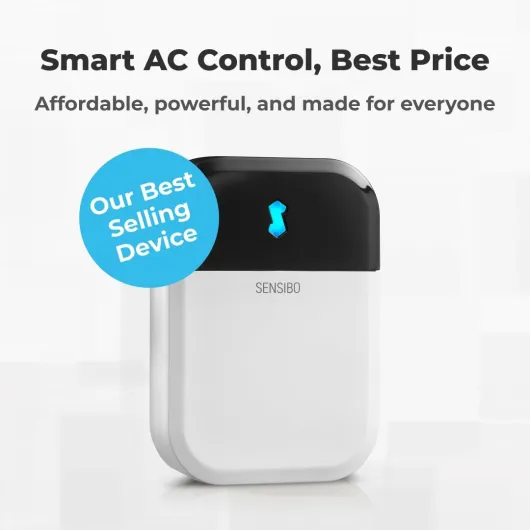
Small white box, does the job but nothing fancy
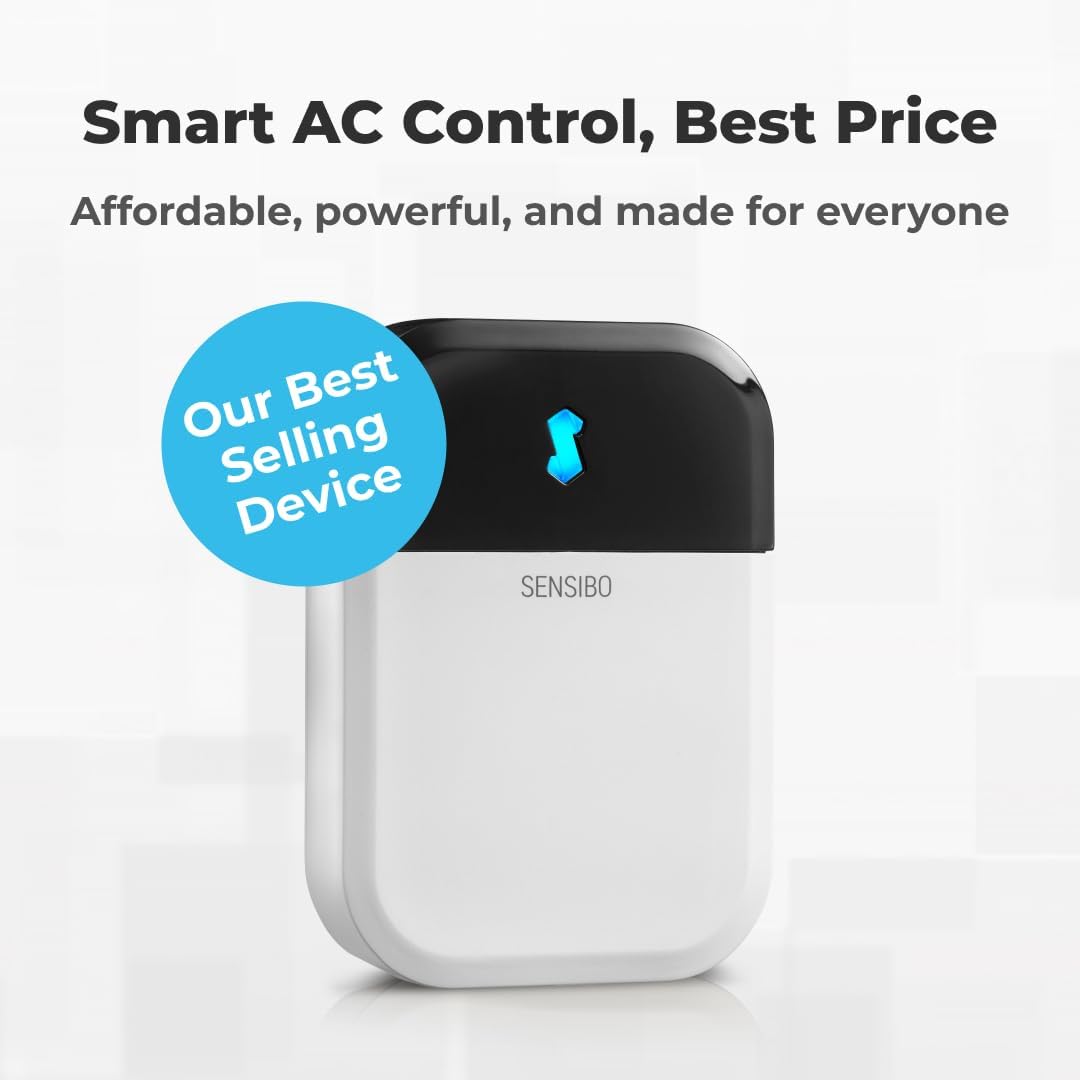
Design-wise, the Sensibo Sky is pretty low-key. It’s a small, light, white plastic rectangle, roughly the size of a deck of cards (around 3.2" x 2.2" x 0.8"). Mine came in simple, eco‑friendly packaging with the unit, a USB power adapter and cable, and a mounting kit. On the wall, it doesn’t draw much attention, which I like. It’s not ugly, it’s just anonymous tech. For a living room, that’s fine; it blends into the background. Don’t expect some fancy object you’ll want to show off, though.
One detail that bugged me and that I also saw echoed in a review: the power cable is not color-matched to the unit. The controller is cloud white, but the cable is slightly off, and once it’s hanging down from the wall, you do notice it. It’s a small thing, but for the price, I would have liked a cable that either hugs the wall better or at least matches the color. I ended up using a cable clip to make it less visible.
The front has a small indicator LED, and the IR blaster sits behind a dark plastic window. There are no physical buttons for control; everything happens in the app. That keeps the hardware clean but also means if the app or Wi‑Fi is acting up, the box itself can’t really be used directly. Build quality feels decent: the plastic doesn’t creak, and it’s light enough (about 0.15 pounds) that I didn’t worry about it falling off with the included adhesive.
Placement is important. Because it’s IR-based, you need line-of-sight to the AC unit. The range is okay in my experience, but not huge. One Amazon user said they had issues beyond 2 meters, and I believe it. I kept mine around 2–3 meters directly facing the AC and had maybe one failed command every few days. If you were hoping to tuck it away behind a plant or a TV, forget it; it needs a clear shot. So design-wise, it’s fine, but you do have to plan where to stick it, which is one more thing to think about.
Power and connectivity: no battery, all on the cable
Just to be clear: the Sensibo Sky has no internal battery. It’s powered by a 1‑meter USB cable and a wall adapter. For me, that’s both good and bad. Good, because I don’t have to think about recharging or replacing batteries. Bad, because you’re forced to place it near an outlet, and you’ll always have that cable visible unless you get creative with cable management. The product page calling it “corded electric” is accurate; it’s not one of those tiny battery IR blasters you can hide anywhere.
Once plugged in, power consumption is very low (the spec mentions about 1 kWh annually, which is basically nothing). I left it on 24/7 and didn’t see any noticeable difference in my electricity meter. It doesn’t heat up or make noise; it just sits there quietly. The only sign of life is the small LED and the fact that commands work. So on the energy side, the controller itself is not a concern at all.
The more important part is Wi‑Fi stability. During my tests on a decent home router, it stayed connected most of the time. I had one or two short disconnects where the app showed it as offline, but it reconnected by itself within a couple of minutes. If your Wi‑Fi is weak or unstable near the AC, expect more issues. Since it’s a cloud-based device, when Wi‑Fi or internet drops, you lose remote access, geofencing, and voice control. Local IR control from the app on the same network sometimes still works, but not always smoothly.
So in practice, there’s no battery anxiety here, but you trade that for being tied to a socket and a working Wi‑Fi network. If your router is far from the AC or behind thick walls, you might need a repeater or mesh system to make this thing reliable. For a modern apartment or small house with decent coverage, it’s fine. For a large house with patchy Wi‑Fi, you’ll want to fix that first or you’ll blame the Sensibo for problems that are really your network’s fault.
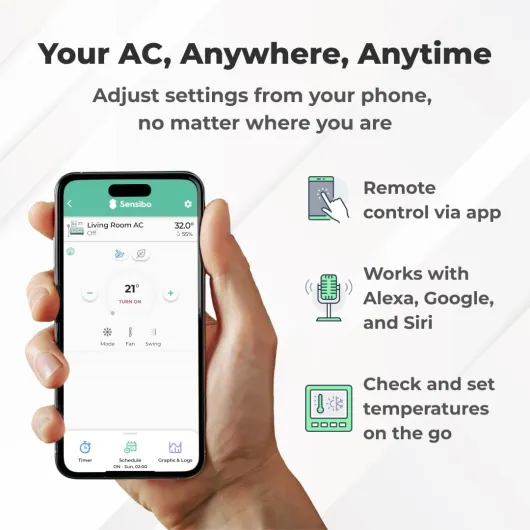
Unboxing and first setup: simple but a bit fiddly
The packaging is straightforward: eco-friendly cardboard, minimal plastic, and everything is easy to take out. Inside you get the Sensibo unit, a USB power adapter, the cable, and mounting accessories. There’s a quick start guide with clear steps and a QR code to download the app. Nothing fancy, but it’s clean and functional. It feels like a tech gadget, not a premium designer object, which is fine by me. At least you don’t fight with layers of plastic to get to the device.
Setup is where opinions differ. Personally, I found it mostly easy but a bit fiddly. You plug it in, connect it to your Wi‑Fi via the app, then let the app learn your remote. For my main split AC, it recognized the model quickly, and I was controlling it within about 10 minutes. For a portable unit, it took a couple of tries and manual learning of some buttons. One Amazon reviewer also mentioned having to reset and start again once, which matches my experience: the first Wi‑Fi pairing failed, and I had to redo it. Not a disaster, but annoying.
The app guides you step by step with screenshots, so even if you’re not very technical, you can get through it. But you do need a bit of patience. If you expect to just plug it in and have it magically work with zero interaction, you’ll be disappointed. There’s also the IR learning step where you have to point your original remote at the Sensibo and press buttons. That part worked well for me, but you need to be close and follow the instructions. The good news is that you usually do this once and then forget about it.
One thing I’ll give them credit for is customer support. I didn’t need them personally, but one of the reviews talked about Sensibo support doing a remote recording session to add compatibility for a Dyson Pure Cool fan, which is pretty impressive. That suggests that if your device isn’t recognized out of the box, they can sometimes add support on the backend. So while the initial setup can be a little finicky, you’re not completely on your own if something doesn’t work.
How well it actually controls the AC day to day
In terms of pure performance, I’d say the Sensibo Sky is mostly reliable with occasional hiccups. When the IR signal hits, commands are nearly instant: I tap "On" in the app, and the AC beeps within a second or two. Same with changing temperature or mode. Over a couple of weeks, I had a handful of missed commands where the app said it turned on, but the AC stayed off. In every case, it was either because someone had slightly moved the indoor unit’s flap or the Sensibo had been bumped, so the IR angle was off. Once I adjusted the angle, it went back to normal, but it shows how sensitive IR control can be.
The geofencing worked better than I expected. I set it to start cooling when I’m within about 1 km of home and shut off when everyone has left the house. It usually triggered correctly, with maybe a 2–3 minute delay sometimes. Coming home to a room that’s already at a decent temperature is nice. Just be aware that if multiple people live in the house and only one has the app, it will base decisions on that one phone unless you set up multiple users. For couples or families, it’s worth taking 10 minutes to add everyone properly.
Climate React, which uses temperature and humidity, is one of the more useful features if you live in a humid area. Instead of just saying "keep it at 24°C", you can tell it to react when humidity goes above a certain point. In practice, it did a decent job of preventing the room from feeling sticky without blasting cold air constantly. It’s not perfect; there were still moments where I felt it could have turned off earlier, but overall it helped avoid some extremes and probably saved some energy compared to just leaving the AC on full auto.
Voice control through Google Assistant worked smoothly for me. Commands like "Set living room AC to 23 degrees" or "Turn off living room AC" were recognized quickly, and the response time was about the same as using the app. Compared to the OEM Wi‑Fi module I tried before (which was slow and unreliable), Sensibo felt far more responsive and stable. On the downside, if your internet goes down, you lose most of the smart features since it relies on the cloud; local-only control is very limited. So overall performance is pretty solid, but you need stable Wi‑Fi, decent placement, and a bit of patience with IR quirks.
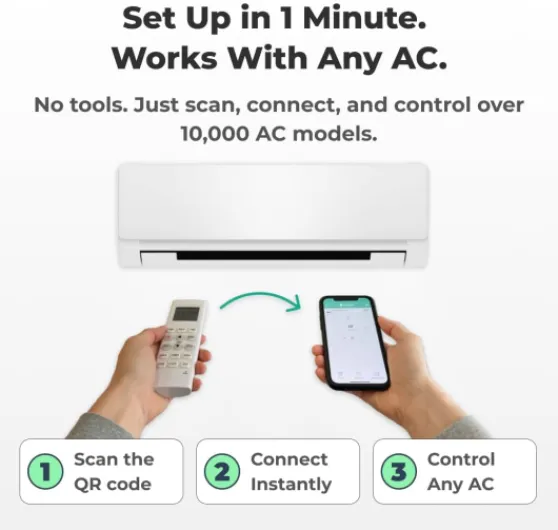
What the Sensibo Sky actually does (and doesn’t do)
Functionally, the Sensibo Sky is a small wall-mounted IR controller that talks to your AC the same way your handheld remote does, but it connects to your Wi‑Fi and to a cloud service. Through the Android/iOS app or a web app, you can turn the AC on or off, change modes (cool, heat, dehumidify, fan), adjust temperature, fan speed, swing, and set schedules. It supports most IR-controlled units: window ACs, mini-splits, portable ACs, and some fans. In my case, it recognized a mid-range split AC brand in about 30 seconds by learning the remote.
The extra selling point is the "smart" layer: geofencing to start cooling before you arrive, a "Climate React" mode that uses both temperature and humidity to keep a more stable comfort level, and a 7‑day schedule with conditional rules. You can do things like: "If temperature goes above 26°C and humidity above 60%, turn on cooling at 24°C". It also hooks into Google Assistant, Alexa and Siri so you can shout simple commands like "set living room AC to 23 degrees". Integration with other platforms (Home Assistant, OpenHab, etc.) is possible, but that’s more for power users.
What it doesn’t do is talk to your AC over any internal protocol like some OEM Wi‑Fi modules or higher-end thermostats. There’s no feedback from the AC unit itself. The Sensibo just assumes the command went through. So if someone points the original remote at the unit and switches it to heating, the app might still think it’s cooling. That’s exactly what one of the Amazon reviewers mentioned: their AC flipped from cooling to heating because the states got out of sync. This is not a bug in the strict sense; it’s just how IR control works, but you need to be aware of it.
In daily use, I’d describe it as a "smart overlay" on top of an old-school remote, not a full-blown thermostat replacement. It doesn’t wire into your system, there’s no control of the compressor directly, and it won’t magically make a bad AC efficient. It just helps you run the AC more intentionally with better timing and fewer "oops, I left it on all day" moments. If that’s what you expect, it gets the job done. If you’re expecting a full HVAC brain like a high-end smart thermostat, you’re looking at the wrong category of product.
Does it really save energy and improve comfort?
The brand claims up to 40% reduction in cooling bills, which sounds optimistic. In my experience, it did help cut some waste, but I wouldn’t expect miracles. Where it genuinely helps is avoiding those times you forget the AC on for hours after leaving. With geofencing and schedules, my AC now reliably turns off when the last person leaves and ramps up just before someone gets home. Over a couple of weeks, I noticed fewer "oh no, it’s been running all day" moments, which should translate into some savings on the bill, but I’d guess more like 10–20% at best, not 40%.
On the comfort side, the thing I liked the most is being able to pre-cool or pre-heat rooms remotely. For example, if I know I’ll work in my home office in 30 minutes, I can start the AC from the living room or even from outside. By the time I sit down, the room is usable, not freezing or boiling. The 7‑day schedule is also handy: I set a mild heating schedule at night in winter to avoid waking up to a cold room. One Amazon reviewer mentioned using it in a garden office to prevent damp in winter; that’s exactly the kind of small but real use case where this thing shines.
That said, the Sensibo is only as effective as your discipline with the settings. If you go crazy with the schedule, set very low temperatures, or constantly override with the original remote, you’ll lose the benefit. Also, when the IR commands fail (which happens occasionally), the app might think the AC is off while it’s actually on. If you don’t notice, you can still end up wasting power. So I wouldn’t treat the energy saving claims as guaranteed; they depend heavily on how messy your current habits are.
Overall, in terms of effectiveness, I’d say it helps you be more reasonable with your AC usage. It nudges you toward shorter runs, more targeted cooling/heating, and fewer all-day blasts. Comfort-wise, being able to fine-tune temperature and humidity rules and having remote access is genuinely practical. But your old AC doesn’t suddenly become ultra-efficient just because you added this box. It’s a smart remote, not a hardware upgrade for the compressor.
Pros
- Clean, focused app with useful AC-specific features like geofencing and Climate React
- Works with most IR-controlled ACs and supports Google Assistant, Alexa, and Siri
- Helps cut waste by automating on/off times and remote control, improving day-to-day comfort
Cons
- Relies on IR with no feedback, so commands sometimes miss and states can get out of sync
- Price is high compared to generic IR blasters that handle basic remote control
- Setup and Wi‑Fi pairing can be a bit fiddly, especially on weaker networks
Conclusion
Editor's rating
After living with the Sensibo Sky, I’d sum it up like this: it’s a pretty solid smart remote for ACs that actually makes daily use more comfortable, but it’s not flawless and the price is a bit steep. The good points are clear: the app is easy to use, geofencing works well enough, Climate React is handy in humid weather, and voice control with Google/Alexa/Siri is smooth. If you currently juggle clunky OEM apps or only have a dumb IR remote, this feels like a real step up in convenience. Being able to pre‑cool rooms, avoid leaving ACs running all day, and manage multiple units from one app is genuinely practical.
On the downside, it’s still just IR-based, so no real feedback from the AC. That means occasional missed commands, state desync if someone uses the old remote, and the need for careful placement. Setup is mostly okay but can be a bit fiddly, especially with Wi‑Fi pairing or less common AC models. For the price, those rough edges are noticeable. If you’re on a tight budget or only want basic remote control, cheaper IR hubs might be enough. If you want a deeper, wired-in HVAC integration, this won’t replace a true smart thermostat.
So who is it for? It fits best for people with one or more older split/window/portable ACs who already use smart home gear and care about schedules, geofencing, and voice control. If you like tweaking settings and appreciate a focused, well-designed app, you’ll probably be happy with it, especially if you catch it on discount. Who should skip it? Anyone expecting perfect reliability every time, people who hate dealing with Wi‑Fi quirks, or those who just want the cheapest way to turn their AC on from the couch. For me, it gets the job done and improves comfort, but it’s not magic, and there are definitely cheaper, simpler options if you don’t need all the bells and whistles.