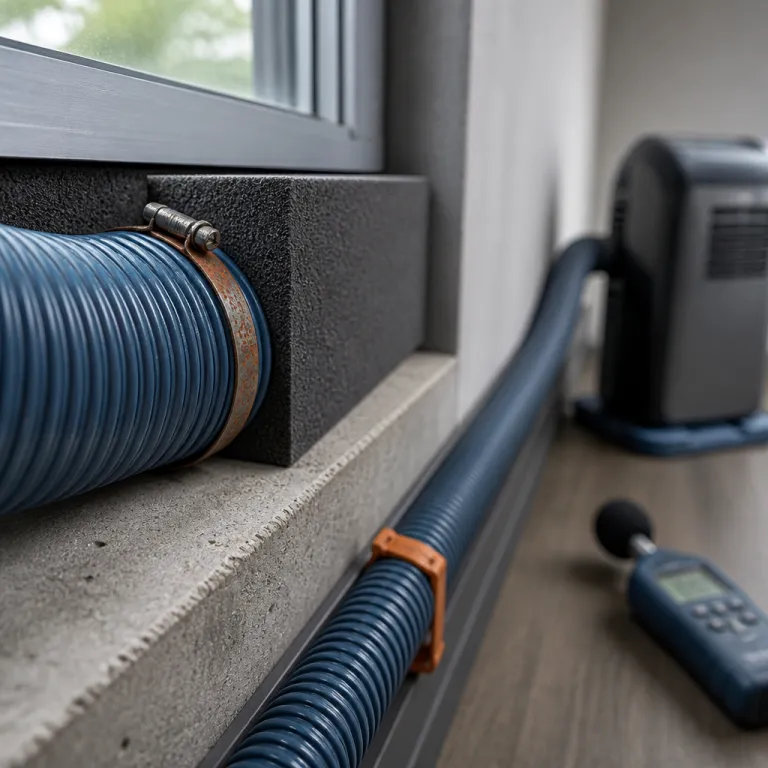
Choosing the right portable air conditioner for a small home office
A portable air conditioner home office setup starts with choosing the right unit for your specific room, not just the biggest model on sale. The wrong portable units will either leave the office muggy or waste electricity while still sounding like a jet at takeoff. Aim for a balance of cooling capacity, quiet operation, and realistic price rather than chasing the largest BTU number on the box.
For a typical home office of 10 to 15 m², a portable air conditioner rated around 7 000 to 9 000 BTU usually matches the real heat load from computers, people, and west facing windows. Manufacturer sizing charts from brands such as De'Longhi and Honeywell place this range in the “small room” category, assuming average insulation and ceiling height. Larger rooms of 18 to 22 m² often need a unit in the 10 000 to 12 000 BTU range, while anything above that should push you toward higher capacity or multiple conditioners in adjacent rooms.
Remember that BTU ratings on many portable air conditioners are optimistic lab figures, so treat them as a ceiling, not a guarantee of cooling performance. Real world tests by independent reviewers often find effective capacity 10 to 20 % lower than the sticker rating, especially in very sunny rooms. If your office runs multiple monitors or a powerful desktop, consider that extra internal heat when you pick a size.
Single hose portable air designs pull in hot air from the rest of the home, which reduces effective cooling in a closed office. Dual hose portable units exhaust hot air while drawing in separate make up air, so they maintain room pressure and keep the office cooler for the same energy use. If you work in a very small room with only one window, a compact portable unit with a dual hose kit is usually the best portable compromise between efficiency and easy installation.
| Room size (m²) | Typical BTU range | Notes |
|---|---|---|
| 10–15 | 7 000–9 000 BTU | Small office, average insulation |
| 18–22 | 10 000–12 000 BTU | Larger office or extra equipment |
| 25–30 | 12 000–14 000 BTU | Big rooms, strong sun or poor insulation |
Capacity, energy use, and realistic noise level targets
Look at the Combined Energy Efficiency Ratio, often called CEER, when comparing portable air conditioners for a home office. CEER measures cooling output versus total power use, including standby, under standardized test conditions. A more energy efficient unit with a CEER above about 8.5 (a value referenced in U.S. Department of Energy guidance for room ACs) will usually cost less to run over a long summer than a cheaper low efficiency model with a tempting price tag.
Over a few seasons, the electricity savings often outweigh the initial price difference, especially if you cool the room for eight hours a day. As a rough benchmark, running a 1 000 W portable AC for eight hours at a typical residential tariff can cost several euros or dollars per day, so even a 10 % efficiency gain adds up over a full work season. Check the energy label or specification sheet for CEER or EER values rather than relying on marketing terms like “eco mode”.
Noise level matters more than raw cooling power when your microphone sits 60 cm from your desk. Portable ACs are often rated between 50 and 60 dBA at one metre, and basic acoustic theory (the inverse square law for sound) shows that level drops by roughly 6 dB every time you double the distance from the unit. That means placing the portable unit two to three metres from your desk can turn a harsh background roar into a soft hum that your conferencing software easily filters.
Look for quiet operation modes that keep the compressor and fan at lower speeds during calls. Many portable air conditioners now include a sleep or night mode that reduces fan speed and dims any night light on the control panel, which also helps in a bedroom office. If the manufacturer lists multiple noise levels, treat the lowest figure as the fan only mode and the highest as the realistic number during full cooling.
Features that matter at the desk, not just on the box
For a portable air conditioner home office setup, a reliable remote control is more useful than a flashy app. You want to nudge the temperature up or down without leaving your desk or interrupting a presentation. A clear display on the unit helps, but the remote control or app is what you will actually use during work.
Many portable air conditioners include a built in dehumidifier mode, which can be valuable in humid climates where the room feels sticky even at lower temperatures. A dehumidifier function that drains continuously through a hose is better for an office than a small water tank that needs frequent emptying. If you must rely on a water tank, place the portable unit where you can reach it easily without crawling under the desk or moving furniture.
Some portable units market themselves as an air cooler or mini air cooler, but evaporative coolers behave very differently from compressor based air conditioners. Evaporative air coolers add moisture to the air, which can be a problem in already humid rooms and can make paper documents curl on the desk. For a serious home office, a true air conditioner with a sealed refrigeration circuit, proper BTU rating, and controlled condensate management is almost always the best portable choice.
- Prioritize: accurate thermostat, clear display, and dependable remote.
- Nice to have: Wi Fi control, programmable timer, and multiple fan speeds.
- Essential for many offices: dehumidifier mode with continuous drain option.
Placement strategy: where to put the portable unit in your home office
Placement is the part of a portable air conditioner home office setup that separates a cool, quiet office from a noisy disappointment. The basic rule is simple, but often ignored, because people push the unit right under the window and next to the desk. You want the portable unit as far from your microphone and ears as the room allows, while still keeping a short, efficient hose run to the window.
In a rectangular room, the best spot is usually against the wall opposite your desk, with the air blowing across the office rather than directly at your face. This layout lets the cool air mix with the warm air from your computer and monitors before it reaches you, which avoids cold drafts on your hands while typing. It also takes advantage of the 6 dB sound drop for every doubling of distance, turning a 56 dBA unit at one metre into roughly 44 dBA at four metres.
If your home office is very small, you may not have a full opposite wall available. In that case, angle the portable unit so the air stream runs parallel to the desk instead of straight at it, and keep at least 1 m of clearance behind the unit for proper air intake. Avoid tucking the air conditioner into a corner or behind furniture, because restricted air flow will raise the noise level and reduce cooling efficiency.
Clearances, airflow, and avoiding hot pockets in the room
Portable air conditioners need space around them to breathe, just like a desktop computer. Leave at least 30 to 45 cm of clearance on each side of the unit and 50 cm at the back, so the air intake and exhaust grills are not blocked by walls or cabinets. If the manual for your specific portable unit calls for more space, follow that guidance rather than pushing the limits.
Think about how air moves through the home office when the door is open versus closed. With the door closed, the portable air conditioner must handle all the heat from your body, your computer, and any other electronics in the room, so you want the cool air to sweep across the main heat sources before returning to the unit. Placing the air conditioner so the airflow passes the desk, then the computer tower, then loops back along the opposite wall often creates the most even temperature.
In multi use rooms, such as a guest room that doubles as a home office, you may need to compromise. Position the portable unit so it cools both the bed and the desk area, even if that means a slightly longer hose to the window. When you work, you can angle the louvers toward the desk, and when guests stay overnight, you can redirect the air toward the bed without moving the entire unit.
- Keep intakes and exhausts clear.
- Aim airflow across the room, not straight at your face.
- Test with the door open and closed to find hot spots.
Power source, cable management, and safety in a busy office
Portable air conditioners draw significant current, so the power source matters for both safety and performance. Whenever possible, plug the portable unit directly into a dedicated wall outlet rather than a power strip that already feeds monitors, chargers, and a desktop computer. Overloaded strips can overheat, and long extension cords can cause voltage drop that makes the compressor struggle and increases noise.
Route the power cable and the exhaust hose away from foot traffic between the door and the desk. A tripped cable can yank the portable unit off its casters, spill the water tank, and damage the hose or window kit in one unlucky moment. Use simple cable clips or floor covers to keep cords tidy along the wall, and avoid running them under rugs where heat can build up.
If your office only has one convenient outlet near the window, consider rearranging the desk so the portable air conditioner can sit on the opposite wall while still reaching the power source. This layout keeps the noise level lower at the microphone while maintaining a short, efficient hose run. The extra effort on day one pays off every time you join a call without a background roar.
Hose routing and window kits: getting hot air out without killing performance
The exhaust hose is the most overlooked part of a portable air conditioner home office setup, yet it often decides whether the room actually cools. A long, kinked hose acts like a clogged artery, trapping hot air and forcing the unit to work harder while raising the noise level. Aim for the shortest, straightest path from the portable unit to the window that your room layout allows.
Most portable air conditioners ship with a flexible plastic hose that extends up to 1.5 or 1.8 m. Resist the temptation to stretch it to the maximum length, because every extra bend and ripple adds resistance to the hot air flow. If you must cross the path between the door and the desk, use a 90 degree elbow adapter at the window so the hose can hug the wall instead of looping into the room.
Window kits for portable units vary in quality, and the flimsy plastic panels in some boxes leak more air than they block. For a serious home office, consider upgrading to a more robust window seal kit that uses insulated panels or fabric sleeves to reduce infiltration air. A tighter seal keeps hot outdoor air and street noise out, which helps both cooling efficiency and quiet operation during calls.
Single hose versus dual hose in a real office
Single hose portable air conditioners exhaust hot air from the room, but they also pull in replacement air from gaps under doors and around windows. That replacement air is often hot and humid, which means the unit spends part of its energy just fighting the air it dragged in. In a small home office with a closed door, this pressure imbalance can noticeably reduce cooling performance.
Dual hose portable units solve this by using one hose to exhaust hot air and another to bring in outdoor air for the condenser. The room stays closer to neutral pressure, so less hot air sneaks in from the rest of the home, and the air conditioner can focus on cooling the office itself. If you work in a loft or open plan space, the difference is smaller, but in a sealed room the dual hose design often feels like a higher BTU upgrade without extra energy use.
When you compare single and dual hose portable acs, remember that hose routing affects both cooling and noise. Two hoses mean more hardware at the window, but they also allow the portable unit to run at a lower fan speed for the same cooling effect, which can drop the noise level at your desk. If you are sensitive to sound on Zoom calls, a dual hose portable unit is often the best portable choice even if the price is slightly higher.
Sealing the window and avoiding hot air recirculation
A leaky window kit can undo half the work of a powerful air conditioner. Any gap around the panel or hose adapter becomes a path for hot outdoor air to sneak back into the room, which raises the temperature and forces the portable unit to run longer. Use foam strips, weather sealing tape, or even a simple draft stopper to close visible gaps around the window kit.
For a deeper guide on how to properly vent a portable AC for maximum efficiency, including diagrams of good and bad hose routing, consult the dedicated tutorial on portable AC venting best practices. That resource explains why backdrafts through poorly sealed windows can raise your energy bill while still leaving the room uncomfortably warm. Applying those principles in a home office can mean the difference between a stable 24 °C and a frustrating 28 °C by mid afternoon.
If your office window faces direct sun, consider shading the glass with a light coloured blind or reflective film. Reducing solar gain cuts the cooling load on the portable air conditioner, which lets it run at a lower fan speed and reduces the noise level at your desk. In some cases, simple shading can feel like adding several hundred BTU of effective capacity without touching the unit itself.
Managing noise so your portable AC does not ruin Zoom calls
The most important number for a portable air conditioner home office setup is not the BTU rating, but the decibel level at your microphone. Manufacturers usually quote noise level at one metre in a bare room, which tells you little about how loud the unit will sound through a laptop mic two metres away. You need to think like an audio engineer, not just an overheated renter.
Sound drops by roughly 6 dB every time you double the distance from the source, so moving the portable unit from 1 m to 2 m away from the desk can make a bigger difference than switching brands. If your air conditioner is rated at 56 dBA at one metre, placing it 3 to 4 m away and behind the microphone can bring the effective noise at the mic down near the 50 dBA threshold that most conferencing tools handle gracefully. That is why placement against the opposite wall matters more than the exact fan specification on the box.
Quiet operation modes help, but they are not magic. Many portable units simply reduce fan speed while leaving the compressor cycling on and off, which can create a pulsing background sound that is more distracting than a steady hum. Test the different modes during a dummy call with a friend, and listen to the recording from their side rather than trusting how the air conditioner sounds in the room.
Meeting mode tricks: fan only, pre cooling, and smart scheduling
The most effective way to keep your voice clear is to avoid compressor noise during critical moments. Use smart scheduling or a simple timer to pre cool the room to around 22 °C before your first call, then let the temperature drift up a degree or two while the portable unit runs in fan only mode. With the compressor off, most air conditioners drop close to the ambient room noise level, which is far easier for noise suppression algorithms to handle.
Many modern portable air conditioners support Wi Fi control through apps from brands such as Midea or Whynter. These apps let you schedule the unit to start cooling 30 minutes before a meeting and then switch to a quieter mode automatically when the call begins. If your model only has a basic remote control, you can still mimic this behaviour by manually switching from full cooling to fan only during presentations and back to cooling between sessions.
Remember that the dBA reading that matters is at the mic position, not at the unit itself. Place your microphone on the desk so it faces away from the portable unit, and avoid putting the air conditioner directly behind your chair where the airflow can hit the mic. A simple foam windscreen on a USB microphone can also reduce the sound of moving air without affecting your voice quality.
Vibration, surfaces, and small tweaks that cut perceived noise
Portable air conditioners often sound louder than their specifications because of vibration through the floor or furniture. Placing the unit on a thin rubber mat or dense foam pad can absorb some of that vibration and reduce the low frequency rumble that microphones pick up. Avoid putting the portable unit on a hollow platform or directly against a shared wall, because those surfaces can act as resonators.
Hard, reflective surfaces such as bare walls and glass windows bounce sound back toward your desk. Soft furnishings, rugs, and even a filled bookcase between the air conditioner and the desk can break up reflections and lower the perceived noise level. Think of it as basic acoustic treatment for a home office, with the bonus of making the room feel more comfortable.
If your portable unit has a night light or bright display, dim or cover it during video calls. While this does not change the actual noise level, it reduces visual distraction and makes the air conditioner feel less intrusive in the office. A calmer visual environment often makes low background sounds easier to ignore during long work sessions.
Cooling performance, energy efficiency, and maintenance that keeps things quiet
A portable air conditioner home office setup only works long term if the unit stays efficient and quiet after years of use. Dust clogged filters and dirty coils force the air conditioner to run harder, which raises both energy use and noise level. A simple maintenance routine can keep the unit performing close to its original specifications.
Clean or replace the air filter every two to four weeks during heavy use, especially if your office shares space with a living room or pets. A clogged filter reduces airflow, which makes the fan work harder and can cause the evaporator coil to ice up, cutting cooling capacity. When the coil ices, the unit may still blow air, but the effective BTU output drops sharply, and the room never reaches the set temperature.
At least once a season, vacuum the intake and exhaust grills and wipe down the exterior of the portable unit. If your model has a removable water tank, empty and rinse it regularly to prevent odours and bacterial growth. For units with a continuous drain hose, check that the line slopes downward and remains clear, so condensate does not back up into the air conditioner and cause internal leaks.
Energy efficient operation in a real home office schedule
Energy efficient use of a portable air conditioner is less about the label and more about how you run it. Set the thermostat to a realistic 23 to 25 °C rather than trying to reach 19 °C, which most portable units cannot maintain in a sun soaked office anyway. Each degree higher on the thermostat can cut energy use by several percent while still keeping the room comfortable for work, a rule of thumb echoed in Energy Star style efficiency guidance for cooling.
Use blinds or curtains to block direct sun on the desk and the portable unit itself. Reducing solar gain lowers the cooling load, which lets the air conditioner cycle less often and stay in quieter modes for longer periods. If your office is part of a larger home, closing doors to unused rooms can also reduce the volume of hot air that seeps back toward the cooled space.
For a deeper seasonal maintenance checklist that keeps a portable AC alive beyond the second summer, including filter cleaning, coil inspection, and window seal checks, consult the detailed guide on portable AC spring tune ups. Following that kind of routine helps maintain both cooling performance and quiet operation, which matters more to a home office worker than a small difference in sticker price. Long term reliability is not about the BTU on the box, but about the temperature drop you still get at 15:00 on a sweltering August afternoon.
When a portable AC is not enough and what to consider next
Some home offices simply overwhelm a portable air conditioner, no matter how carefully you place the unit or route the hose. Large attic rooms, spaces with poor insulation, or offices with multiple gaming PCs can generate more heat than a 12 000 BTU portable unit can reasonably handle. If you find the air conditioner running constantly without reaching the set temperature, it may be time to consider a different approach.
High wall mini split systems, such as a 24 000 BTU inverter heat pump that works with smart assistants, can cool larger rooms more efficiently and quietly than most portable units. A detailed field test of an Aura series mini split air conditioner with an Energy Star rating shows how inverter technology maintains steady temperatures with lower noise than on off portable units. While the upfront price and installation are higher, the long term comfort and energy savings can be significant for a dedicated home office.
If you are not ready for a mini split, you can still support the portable air conditioner with simple measures. A small desk fan that circulates cool air around your body can make a 25 °C room feel more comfortable without lowering the thermostat. Sealing drafts, adding a rug on a bare floor, and shading windows all reduce the cooling load on the portable unit and help it keep up during heat waves.
Key statistics for portable ACs in home offices
- Most portable air conditioners for residential use range from about 7 000 to 14 000 BTU, which typically covers rooms from roughly 10 to 30 m² depending on insulation and sun exposure, according to manufacturer sizing charts from major brands such as De'Longhi and Honeywell.
- Portable AC noise levels usually fall between 50 and 60 dBA at one metre, based on published specifications from several leading manufacturers, which means placing the unit 2 to 4 m from the desk can reduce perceived noise at the microphone by 6 to 12 dB, in line with the inverse square law for sound.
- Energy Star style guidance indicates that raising the thermostat setting by about 1 °C can reduce cooling energy consumption by roughly 3 %, which makes a shift from 22 °C to 24 °C a meaningful saving over a full work season in a home office.
- Field tests from independent reviewers show that poorly sealed window kits can increase cooling times by 15 to 25 %, because hot outdoor air leaks back into the room and forces the portable unit to run longer for the same temperature drop.
- Basic maintenance, such as cleaning filters monthly and checking condensate drains, can extend the effective service life of a portable air conditioner from around 3 years to 5 years or more, based on service data reported by HVAC technicians in residential markets.
FAQ about portable ACs in home offices
How many BTU do I need for a small home office?
For a typical small home office of 10 to 15 m² with average insulation, a portable air conditioner rated around 7 000 to 9 000 BTU usually provides adequate cooling. If the room has large west facing windows or multiple heat producing devices, stepping up to 10 000 BTU can offer a safety margin. Oversizing far beyond that often increases noise and cost without a proportional comfort gain.
Is a dual hose portable AC really better for a closed office?
In a closed home office, a dual hose portable AC usually performs better than a single hose model because it reduces negative pressure in the room. With two hoses, the unit exhausts hot air and brings in replacement air from outside, instead of pulling hot air from the rest of the home under doors and through cracks. This design often leads to faster cooling and more stable temperatures for the same nominal BTU rating.
Where should I place my portable AC to reduce noise on calls?
Place the portable AC as far from your desk and microphone as the room allows, ideally on the wall opposite your workstation. Aim for at least 2 to 3 m of distance, and position the unit so the airflow does not blow directly at the microphone. This layout takes advantage of the natural drop in sound level with distance and helps conferencing software filter the remaining background noise.
Can I run a portable AC and my computer on the same outlet?
Portable air conditioners draw significant current, often close to the limit of a standard household circuit when combined with other devices. Whenever possible, plug the portable AC directly into a dedicated wall outlet and move your computer and monitors to a different circuit or at least a separate outlet. This reduces the risk of tripped breakers, overheating power strips, and voltage drops that can stress both the AC and your electronics.
How often should I clean or service my portable AC?
Clean the air filter every two to four weeks during heavy use, and vacuum the intake and exhaust grills at least once a month. Check and empty the condensate water tank or verify that the drain hose flows freely on the same schedule. A more thorough inspection of coils, seals, and hoses once a year helps maintain both cooling performance and acceptable noise levels in a home office.